Option external IO#
External IO description#
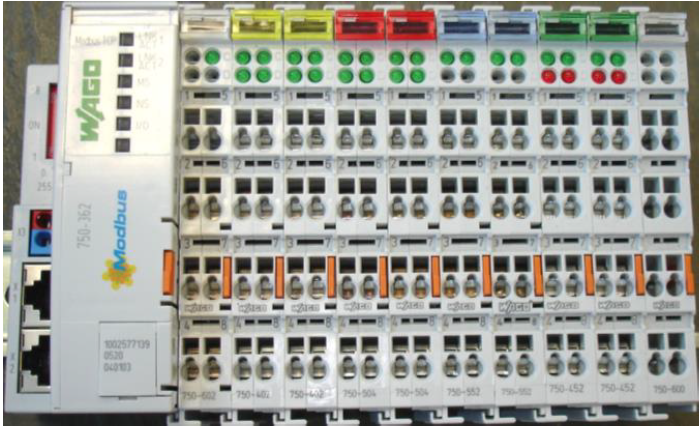
The external analogue and digital inputs and outputs are based on Wago Fieldbus Coupler with Modbus TCP protocol.
External IO module includes:
2 x 4 channel Digital Input ref: 750-402
2 x 4 channel Digital Output ref: 750-504
2 x 2 channel Analogue Output ref: 750-552
2 x 4 channel Analogue Input ref: 750-452
The configuration of the IOs is prepared before shipment and is described in the project file, and the datasheet of the IO modules are provided in the gauge documentation.
Configuration of the external IO module#
Wago module admministration#
An integrated Web server can be used for configuration and administration of the module, by connecting a browser to IP address (refer to the project file to get the IP address).
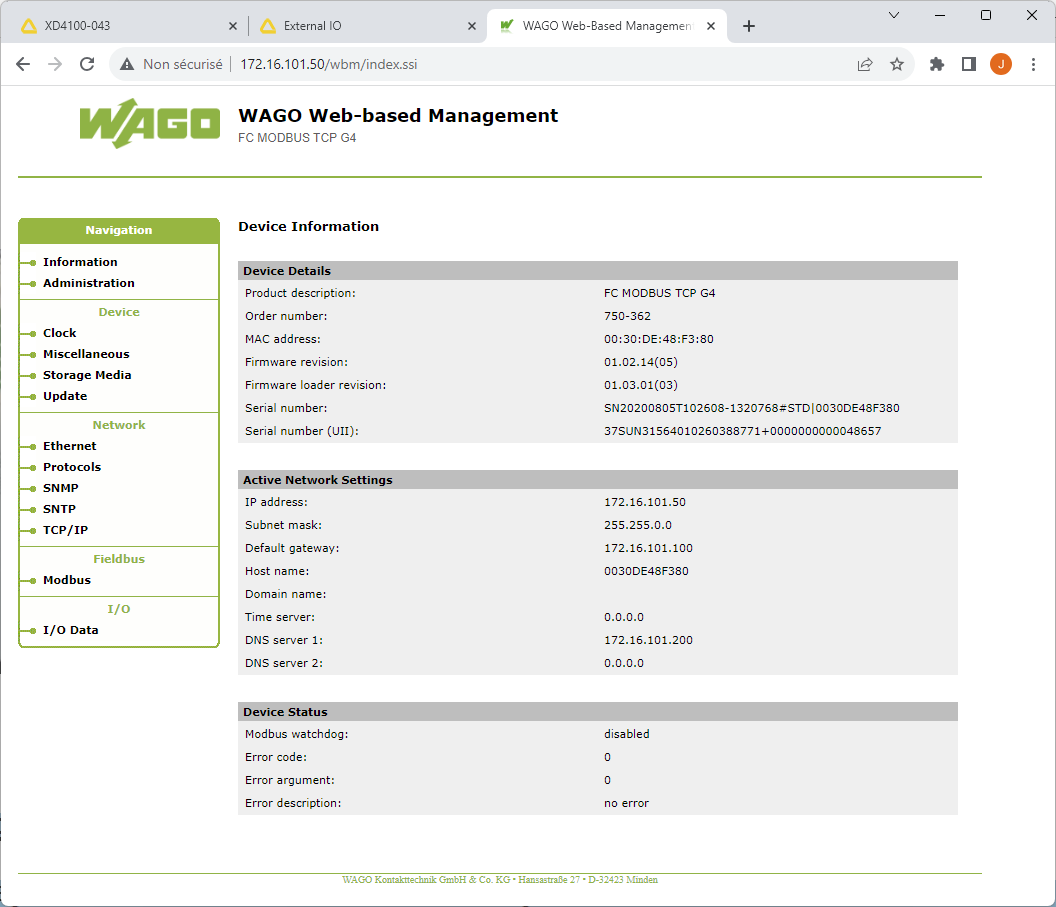
For authentication, 3 different password-protected user authorization groups are provided as standard:
User Group
Default Password
Access Rights
admin
wago
Read/write access to all WBM pages as well as passwords modification
user
user
Read/write access to all WBM pages, but no write authorization on WBM-page “Administration”
guest
guest
Read only
External IO configuration#
The configuration file is available in the “plugin” folder.
Each plugin folder includes a file defining the IO configuration (label associated, scale…). The plugin can be selected in the “Setup gauge” menu.
Configuration file example:
 1{
 2    "aiExt": {
 3        "AI1": {
 4            "Label": "Temperature",
 5            "Min_4mA": 500,
 6            "Max_20mA": 1000,
 7            "Default": 900
 8        },
 9        "AI2": {
10            "Label": "Speed",
11            "Min_4mA": 0.7,
12            "Max_20mA": 5.4,
13            "Default": 4.0
14        }
15    },
16    "aoExt": {
17        "AO1": {
18            "Label": "Width",
19            "Min_4mA": 600,
20            "Max_20mA": 1650,
21            "Default": 600
22        },
23        "AO2": {
24            "Label": "Width_dev",
25            "Min_4mA": -200,
26            "Max_20mA": 200,
27            "Default": 0
28        },
29        "AO3": {
30            "Label": "Center",
31            "Min_4mA": -200,
32            "Max_20mA": 200,
33            "Default": 0
34        },
35        "AO4": {
36            "Label": "Temperature",
37            "Min_4mA": 0,
38            "Max_20mA": 1000,
39            "Default": 900
40        }
41    },
42    "diExt": {
43        "0": [
44            "Measure_disable",
45            0
46        ],
47        "1": [
48            "Last_pass",
49            0
50        ],
51        "2": [
52            "Water_alarm",
53            0
54        ],
55        "3": [
56            "Air_alarm",
57            0
58        ]
59    },
60    "doExt": {
61        "0": [
62            "Alarm",
63            1
64        ],
65        "1": [
66            "Alarm",
67            0
68        ],
69        "2": [
70            "Warning",
71            0
72        ],
73        "3": [
74            "Measuring",
75            0
76        ],
77        "4": [
78            "In_view",
79            0
80        ],
81        "5": [
82            "Width_out_of_range",
83            0
84        ],
85        "6": [
86            "Measure_disable",
87            0
88        ]
89    },
90    "aiExt_min": 6553,
91    "aiExt_max": 32767,
92    "aoExt_min": 6553,
93    "aoExt_max": 32767,
94    "ipAddressIOExt": [
95        "172.16.101.78",
96        502
97    ]
98}
Diagnostic#
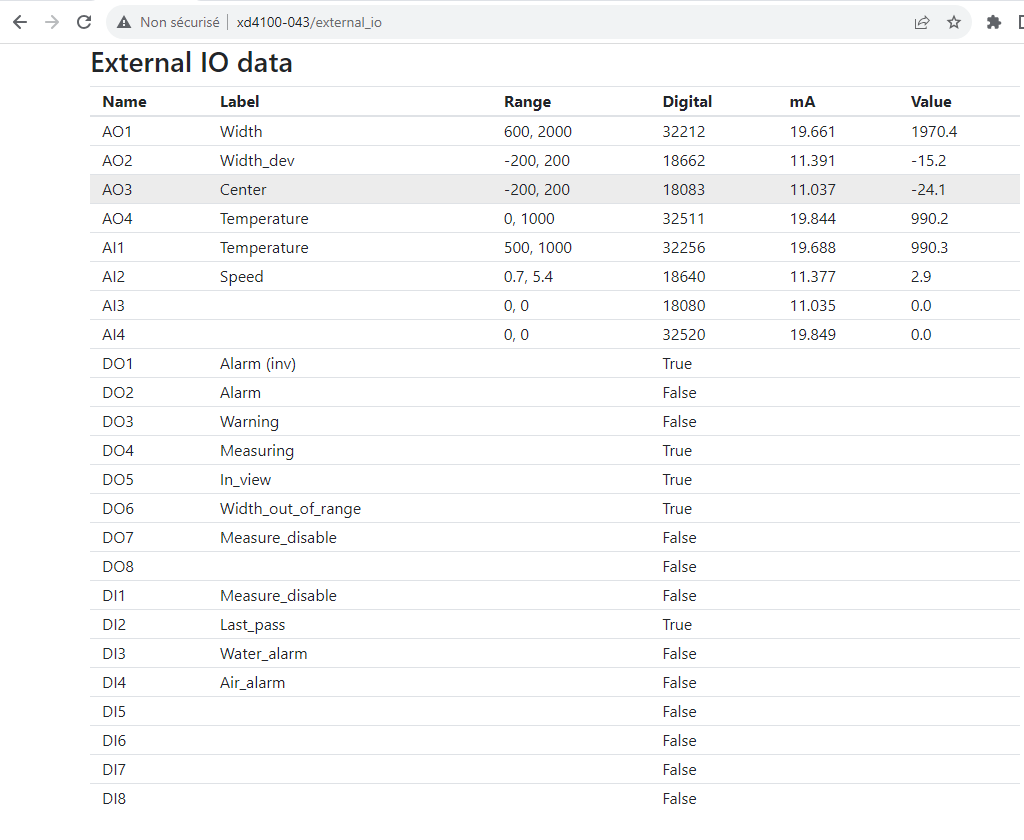
The External IO module data can be displayed on a webbrowser url:
gaugeIP/external_io or gauge_name/external_io